Local Database Submission Storage & CSV Export
Store every submission securely in your WordPress database with search, filtering, and 1-click CSV export.
Engineered for simplicity, reliability, and speed
Never rely solely on email notifications to manage your leads. If an email server experiences an outage, a spam filter intercepts an inquiry, or an employee accidentally deletes a notification, your business loses valuable revenue.
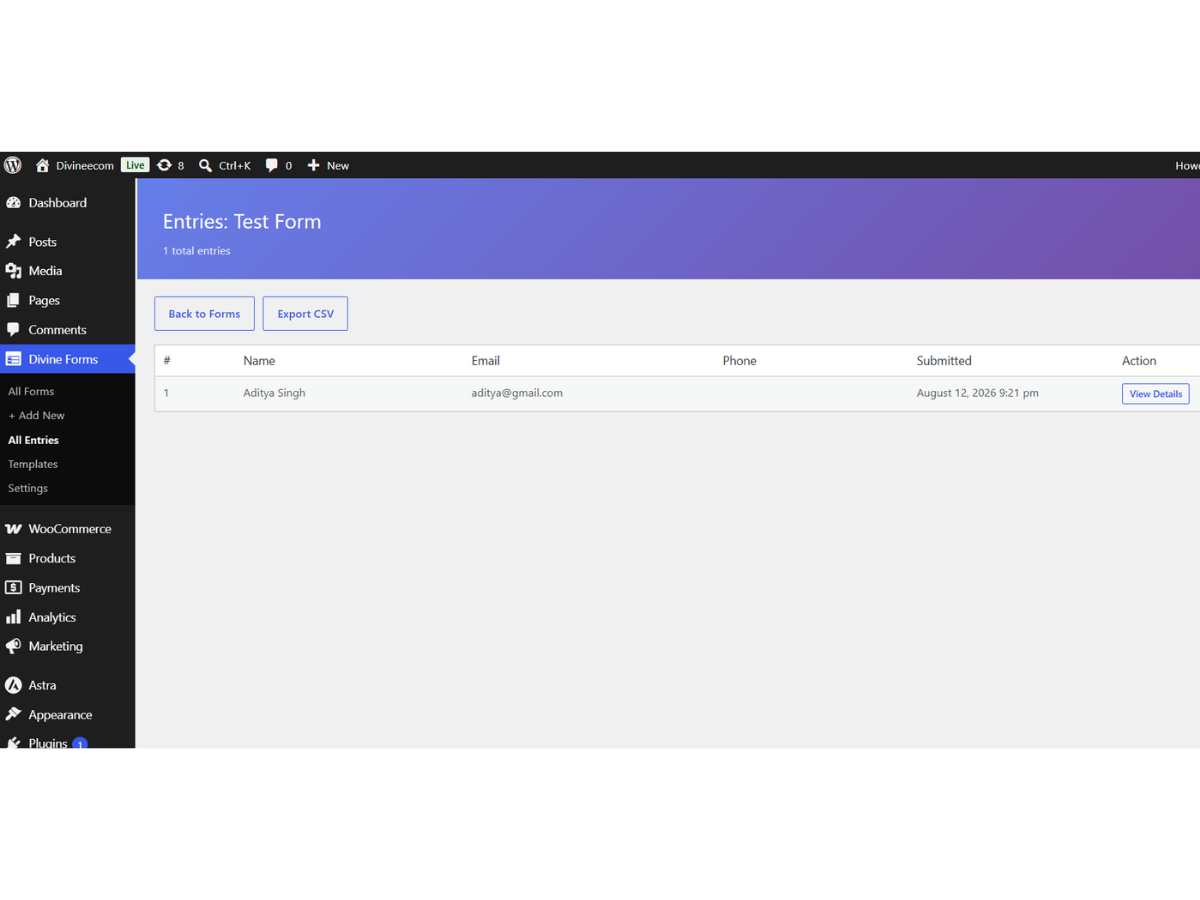
Diviniket WP Forms includes complete local database entry storage. Every submission is permanently recorded in your self-hosted WordPress database, giving you 100% data ownership, full audit trails, and the freedom to search, filter, and export records to Excel or CSV whenever needed.
Everything you need for seamless form experiences
Comprehensive features built directly into Diviniket WP Forms without paid add-on paywalls.
100% Data Custody
All submission records reside in your own WordPress database. No third-party cloud surveillance or vendor lock-in.
One-Click CSV Export
Export full datasets or filtered date ranges into clean CSV files compatible with Excel, Google Sheets, and CRM tools.
Search & Filter Dashboard
Filter entries by specific form, search by customer name or email, and view full submission timestamps.
GDPR Data Erasure Ready
Easily locate and permanently delete individual user records to satisfy GDPR Right to Erasure requests.
Zero Database Bloat
Optimized relational schema ensures thousands of entries can be stored without slowing down site queries.
Read / Unread Status Tracking
Mark entries as read, archived, or flagged to maintain team workflow clarity.
Get up and running in 4 simple steps
Diviniket WP Forms fits smoothly into your WordPress workflow with zero learning curve.
Open Entries Panel
Navigate to Diviniket Forms → Entries in your WordPress dashboard.
Filter by Form
Select the specific form you wish to inspect from the dropdown menu.
Inspect Details
Click any row to view full field answers, user IP address, and submission timestamps.
Export to CSV
Click Export All Entries to download a clean, structured spreadsheet file.
Detailed Specifications & Compatibility
| Storage Architecture | Optimized custom database tables with indexed foreign keys |
| Export Format | Universal CSV (UTF-8 formatted with Excel compatibility) |
| Data Retention | Permanent storage until deleted by site administrator |
| Query Latency | < 2ms execution time with indexed lookups |
| Cost | 100% Free (Unlike competitors who lock entries behind paid licenses) |
Frequently Asked Questions
Common questions about Local Database Submission Storage & CSV Export in Diviniket WP Forms.
Is there a limit on how many entries I can store?
No. Diviniket WP Forms does not limit your entries. You can store unlimited submissions subject only to your server disk space.
Can I export entries for a specific date range?
Yes. You can filter entries by date before triggering the CSV export.